MyReid Patient Resource Hub
MyReid is Reid Health’s mobile app and your digital healthcare partner. It offers convenient access whenever you need it to your providers, health records, and so much more.
My health, my way, MyReid
MyReid is your digital partner that makes managing your healthcare easy. Built on the MyChart platform, MyReid puts you in control. Using the app, you can schedule appointments without ever needing to make a phone call and get alerts about test results as soon as they're available. After receiving care, you can get payment reminders and information about financial assistance. Got a question for your provider? Connect with your care team with 24/7 access to our Message Center. MyReid was created for you to manage your health, your way.
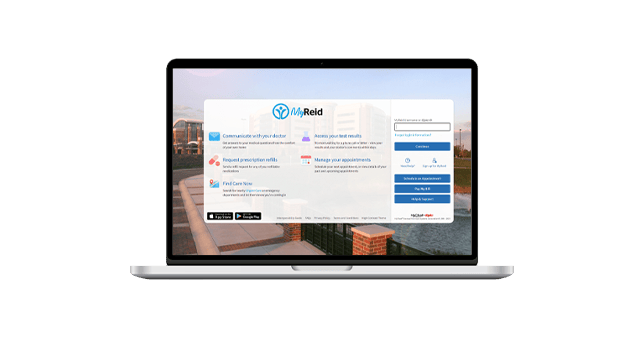
MyReid Patient Portal
If you’d rather not use a mobile app – or just don’t have your phone nearby – you can use the MyReid Patient Portal on your computer to access your MyChart account.
MyReid Features
Get to know all the ways MyReid makes managing your healthcare easier. From self-scheduling appointments to requesting prescription refills and messaging your provider, MyReid allows you to do what you need whenever it’s most convenient for you.
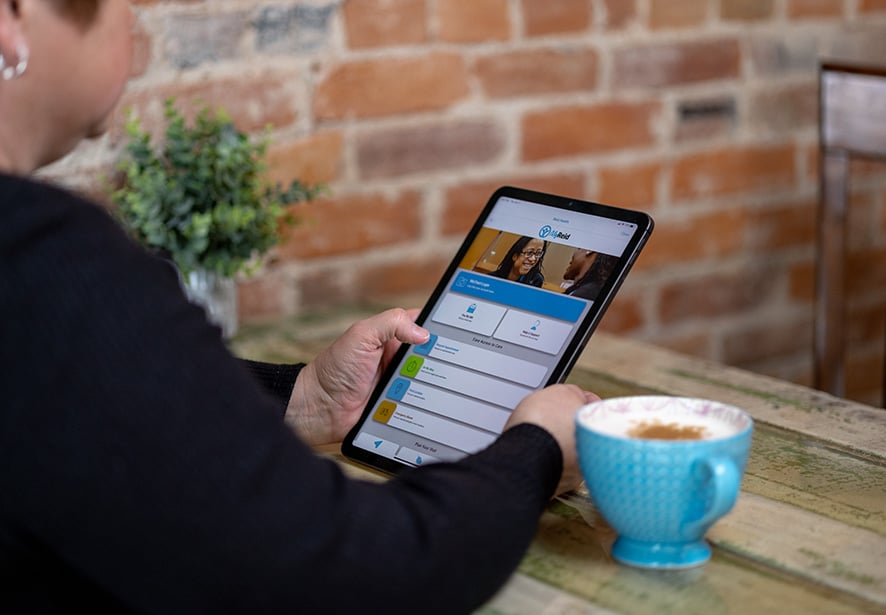
Self-scheduled appointments
New or current patients can self-schedule appointments directly in the MyReid app. Choose from primary care, specialty care, lab visits, or urgent care and select appointment time slots that work best for you.

Quick access to test results
Gone are the days of anxiously waiting for your provider to call you with test results. You can see your results in your MyReid account as soon as they're available.

Access to your care team
MyReid gives you 24/7 access to your care team through the Messaging Center. Request appointments, ask questions about lab results, request refills on prescriptions, and more.

Manage medication refills
Get your prescription refills quicker using MyReid. Select "Medication" in the menu to see a list of your medications and the dosages associated with each one. Eligible prescriptions for refill will have a prompt to make your request. You can even choose at which pharmacy you want to have your prescription refilled

Proxy access for healthy families
Proxy access makes it easy for families to seamlessly manage multiple health appointments, communications, medications, and other health activities – all from one account. Parents can be linked to the MyReid accounts of their minor children, and adult caregivers can be linked to their loved ones' accounts for easier communication and awareness.

Save time at Urgent Care
Hold your spot in line for an urgent-care visit before you ever leave home. View wait times and find an appointment that works best for you to get care.
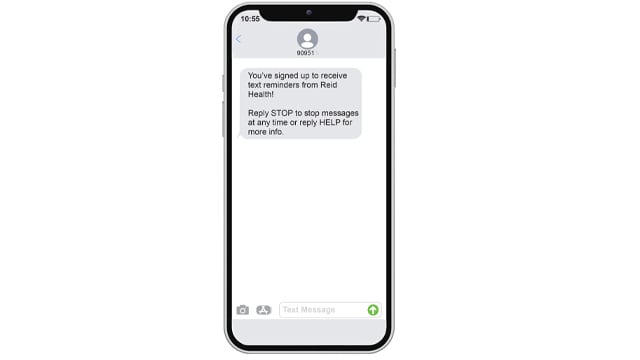
Text message reminders
You can receive two-way text messages about upcoming appointments, your MyReid account, prescription refills, bill pay, and more. Save time and enjoy the benefits of easy healthcare management.
To opt in to this service, simply text START to 90951 to begin.
Signing up for MyReid is easy!
Current MyChart user?
Those who previously managed their care with MyChart will find the same great features in MyReid in a new, user-friendly mobile app experience. Simply download MyReid from the Google Play Store or Apple App Store
To prevent receiving dual notifications about Reid Health services from your MyChart and MyReid apps:
- Log in to your existing MyChart app.
- Click the menu button.
- Select "Account Settings."
- Scroll to "Notifications" and toggle the button to "Off."
New to MyReid?
Download the app from the Google Play Store or Apple App Store. After that, you'll want to visit this page to complete the registration form and sign up for an account.
The form is to be filled out by any patient 18 or older, or anyone who wants to have access to a minor's account or the account of someone for whom they're a caregiver.
Use MyReid Bedside while staying at the hospital
MyReid Bedside is a free service available to those who have the MyReid app installed on their phone or tablet. Once a patient is admitted to the hospital, the MyReid Bedside features automatically appear in the app.
Using the app, patients can see:
- Their care team, including a description of each member's role
- Basic information about their stay, such as why they've been admitted, when they arrived, and their expected discharge date
- Medications and lab results with easy-to-understand descriptions
- Medication times, surgeries, and procedures
- Information about their condition
If granted access by the patient, a family member can see the same information on their own devices, even if the family member isn't at the hospital with their loved one.