Communication Preferences: Adjusting settings for text messages
Enrolling in text notifications
To enroll in text notifications from Reid Health, you can either send START to 90951 or you can follow the prompts in your MyReid app after logging in. Text notifications are available to all patients regardless of whether you have a MyReid account
Updating your communication preferences to receive text notifications
To update your communication preferences to receive text message notifications, follow these easy steps.
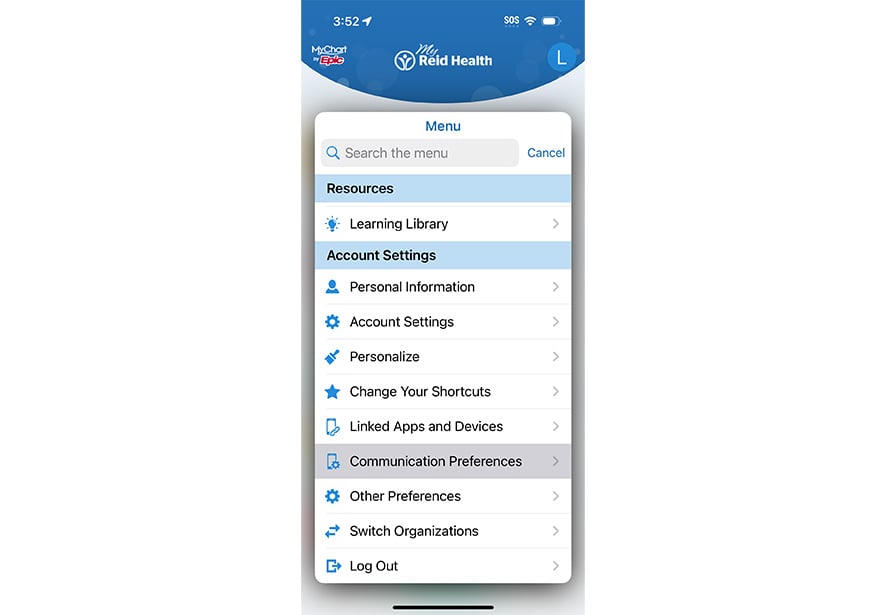
Step 1
In your MyReid app or through the patient portal, Select Menu and type in or search for Communication Preferences. You'll want to confirm the text message setting is toggled on as a preferred method of contact.
You'll be prompted to subscribe to receive text messages from Reid Health. Select subscribe.
If you've opted in to receiving text notifications, you'll see this indicated under the settings box. The option to opt out is also available here.
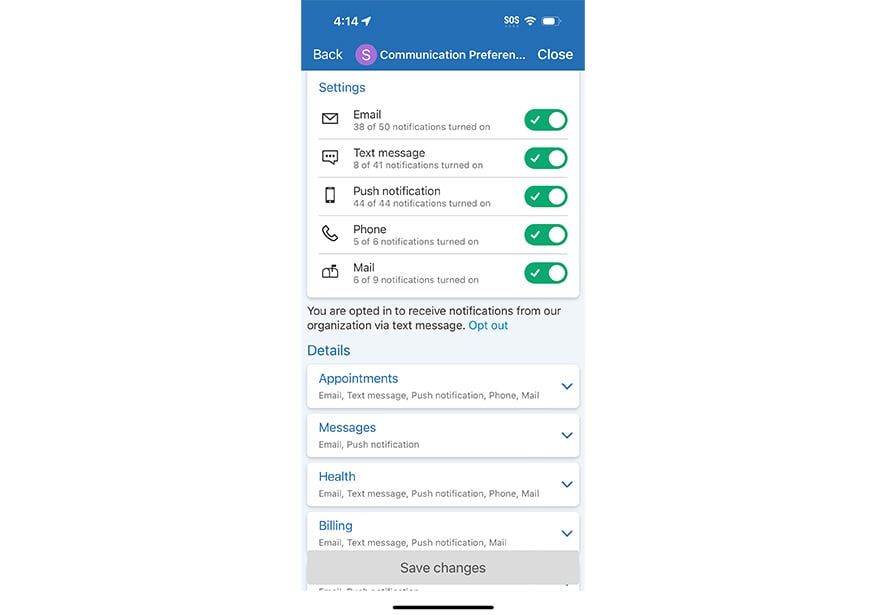
Step 2
The Details list will show you the available categories of notifications and your communication preference for each category.
We recommend text messaging is set up for at least Appointments, Messages, Health, Billing, and News and Announcements.
There are other helpful pieces of information through additional categories that can be delivered via text notification. Your level of communication can be customized to your preference.
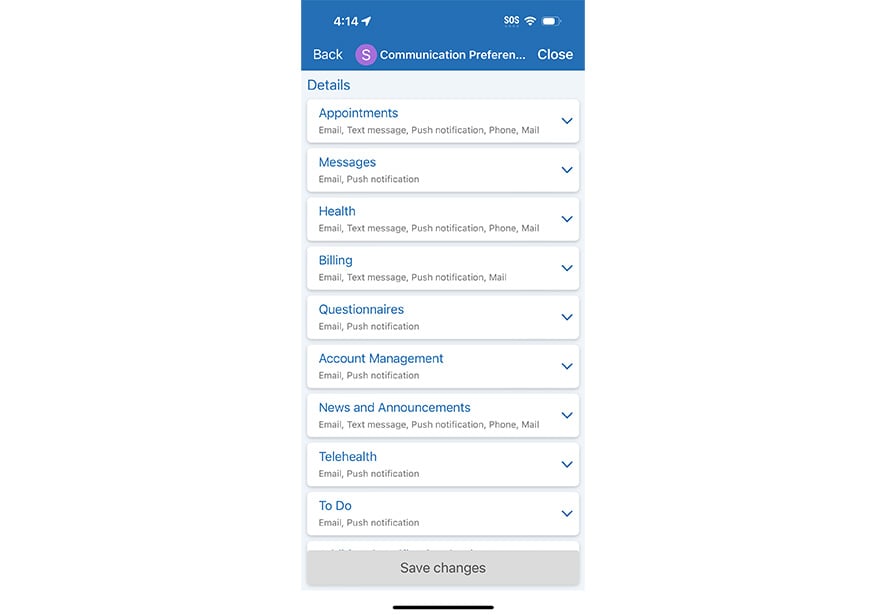
Step 3
You can expand on each category listed in Details by selecting Advanced Settings.
Under each category, there'll be additional selections you can make about the level of communication you'd like to receive.
Example: You might select text message notifications for Appointment Confirmations, but choose to opt out of other appointment-related communication. These options are entirely up to each individual patient!
